AI Agents Work in Silence. Here Is the Risk for PMs.
If you are managing a project where work happens in systems you cannot fully see, you already understand…
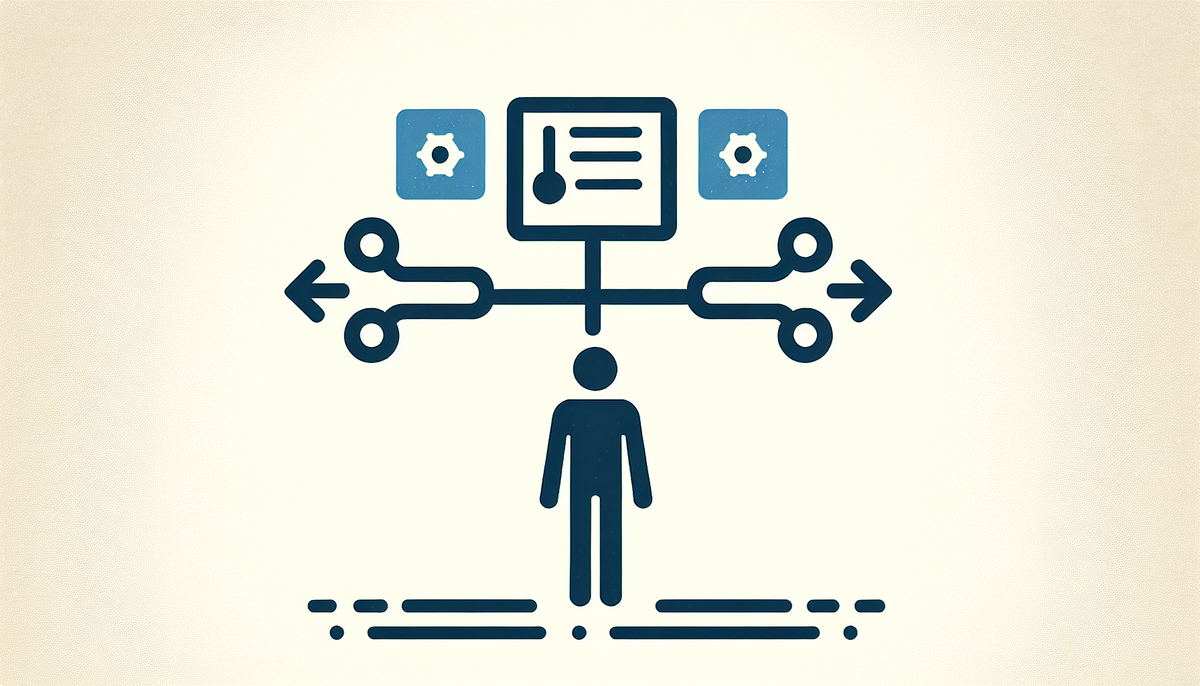
If you are managing a project where work happens in systems you cannot fully see, you already understand the problem Salesforce is trying to solve. The company just launched Headless 360, which lets AI agents work directly with your data and business logic without needing a traditional user interface to do it. On paper, this sounds like infrastructure. For a project manager, this is a control problem.
Here is what changes: today, when you need to move work through your enterprise: pulling customer data, checking inventory, updating a contract, validating a compliance rule, that work usually moves through a UI that someone designed years ago. Someone has to see the screen. Someone has to click the button. Someone has to wait for the next step. With a headless environment, an AI agent can do those things directly, no interface required. It sounds faster, and it is. It also means the work is happening in places your status reports and your eyes cannot easily reach.
The real diagnosis is this: project managers already struggle to see what is actually happening on complex, multi-system projects. You have Jira for development. Salesforce for sales. Confluence for documentation. A spreadsheet nobody told you about. Your steering committee thinks the project is one thing. Your delivery team knows it is actually three things tangled together. Headless 360 does not fix that visibility gap; it deepens it. Now agents are moving work through systems in the background, and you have to figure out how to know whether that work is actually complete, correct, and in sync with your other dependencies.
If you are managing a project that integrates Salesforce deeply into delivery, you need to shift your oversight model now, before this becomes a firefighting problem later.
What Headless 360 Actually Means for Your Delivery Timeline
Salesforce has decoupled data and business logic from the UI layer. This means agents can access and move information without waiting for a screen to load or a human to interpret it. In practice: if you have a workflow that requires pulling customer records, validating them against compliance rules, and updating a project status, an agent can chain those actions together instantly. No human bottleneck between steps.
For delivery, this is genuinely useful. Agents can handle high-frequency, low-judgment work that currently sits in a queue somewhere on your critical path. But here is what matters for your project plan: the agent is not reporting back through the same channels your team is. It is not posting in Teams. It is not updating your Jira status. It is completing work in Salesforce in a way that is invisible to your project tracking unless you explicitly build that connection.
Your RAID log has a new entry: integration risk. The agent completes the work. Your team does not know. A downstream dependency starts anyway based on what they assume has happened. That is a delivery slip you did not budget for.
The Real Complication: Permission Structures and Exception Handling
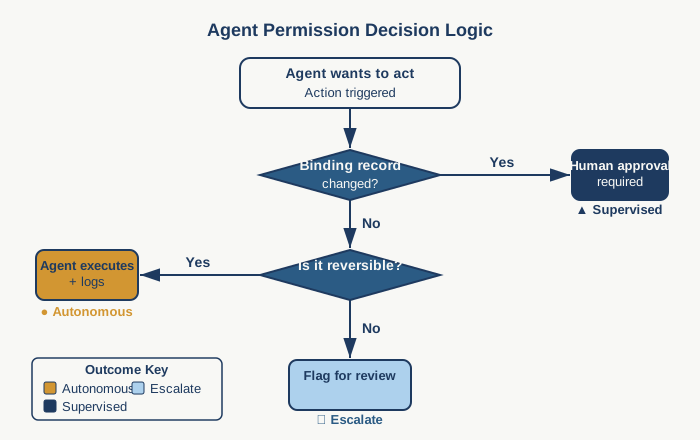
When agents operate in a headless environment, they need permission to act. This is not a technical detail. It is a project governance detail. Someone has to decide: can this agent approve a change order, or only flag it for human review? Can it update a contract, or only draft one? These are not IT questions. These are project control questions.
Your steering committee needs to know the answer before the agent starts working. Because if the agent can do something your project team did not explicitly authorize, you have a governance failure on your hands. And if the agent can only draft or flag, you have introduced a new waiting step into every workflow it touches.
Map this out before implementation. What decisions can the agent make independently? What requires human sign-off? What data can it access? Where do exceptions escalate? Your implementation timeline for Headless 360 depends entirely on how clearly you answer those three questions.
Building a Project Structure That Works With Agent-First Delivery
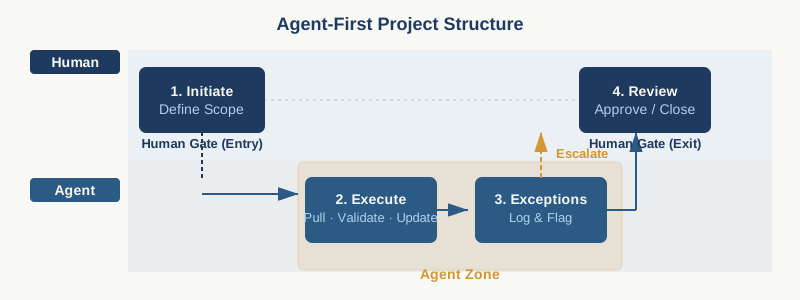
This is where your workflow template needs to change. Traditional project structures assume humans move work through a sequence of states: not started, in progress, awaiting review, done. With agents handling some of those transitions, you need a different structure.
Separate decision logic from task execution. Mark which steps are fully agent-capable, which require human judgment, and which require human approval. Build exception handling into your critical path, not as an afterthought. If an agent flags a compliance violation, that escalation needs a documented owner and a timeline. If it does not, you have a risk you cannot manage.
Your Jira templates or Asana workflows need to reflect this. The agent is not going to update your status if you do not explicitly configure the connection. This is your job now.
Your First 30 Days
Pick one Salesforce-heavy workflow that is currently causing friction. Something with multiple steps, multiple system handoffs, and enough volume that automation would matter. Do not start with something critical. Run a pilot where an agent handles steps two through four. Keep the entry and exit human-owned so you can see what the agent actually does.
Count two things: how many times the agent escalates an exception, and how many times your team realizes the agent finished work they did not know had started. That second number tells you how much your visibility framework needs to improve before you scale this.
Practical AI intelligence for project managers. Weekly, free. Get frameworks, tools, and decisions that help you stay ahead of AI adoption on your projects. No hype. No filler. Subscribe free →
Not sure which AI tools to trust on your projects? Download the free AI Tool Evaluation Checklist: 12 questions PMs ask before approving any AI tool for their team. Download free →