Your AI Tool Is Making Decisions You Haven't Approved
You approved an AI-generated status report last week without checking where the data came from.
You approved an AI-generated status report last week without checking where the data came from. Your team uses it to brief the steering committee. Nobody asked the obvious question: did that AI agent actually pull from the current Jira board, or did it hallucinate from training data six months old?
This is the authorization problem, and it is about to hit your delivery visibility hard.
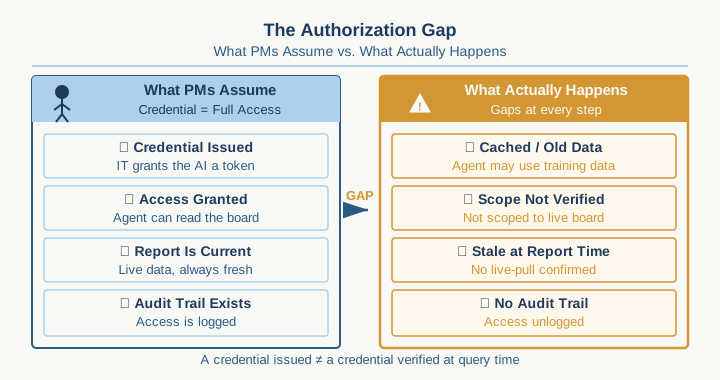
Most project managers think authorization is a checkbox: IT issues a credential, the AI tool gets access, done. What actually matters for you is far more specific: when an AI agent generates a status report, a forecast, or a risk summary, you need to know which data sources it actually touched, whether it had permission to touch them, and whether the data it used is current enough to trust. Right now, almost no PM knows how to verify any of that before the report lands in front of executives.
The problem runs deeper than it sounds. Your organization probably has Jira as the system of record for project status. Your finance team has a separate budget tracking system. Your resource management lives in Smartsheet or Monday or something else entirely. When you ask an AI agent to "generate a comprehensive project health summary," it doesn't magically know which systems to query, in what order, with what access level. Someone has to give it permission to read from each one. Someone has to set boundaries on what it can see. And right now, those permissions are usually configured once, loosely, and then never audited again.
Here is what breaks: the AI agent synthesizes data from sources with different permission levels. It presents a unified summary that looks authoritative. A steering committee reads it and makes a decision. Only later does someone notice the agent pulled resource data from a view it should not have had access to, or it read budget information the finance director never approved for external visibility. At that point, you have a governance problem. You might have a compliance problem. And you have lost credibility with the stakeholders who thought you were in control.
The hidden cost is speed, not just security. Every time someone downstream questions whether an AI output is trustworthy, the bottleneck shifts from "can we generate this report faster" to "who needs to manually verify this before we can act on it." You gain the speed of AI generation and lose it in the authorization slowdown. The whole point of using AI for status reporting, moving faster, freeing time for actual delivery leadership, evaporates.
Here is the mechanism that actually matters for how you work: most AI tools in the PM space (the ones embedded in Jira, Asana, Notion, or fed through Chat GPT via your enterprise license) inherit whatever access the logged-in user has. If you run the AI agent, it sees what you see. If someone else on your team runs it, it sees what they see. That sounds reasonable until you realize it means the same query produces different results depending on who asks it. Worse, it means an agent can accidentally expose data to stakeholders who should not have visibility into certain projects, budget lines, or resource allocations.
What you can actually do about this, starting this week:
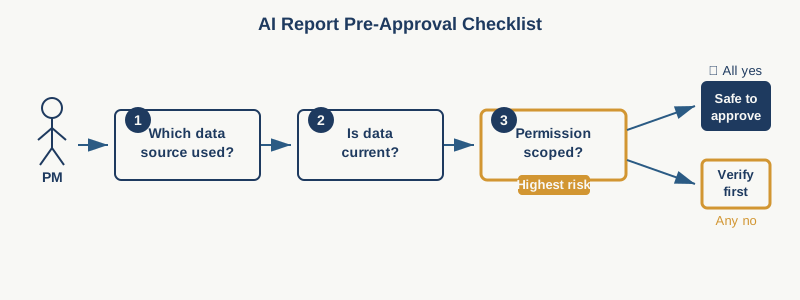
Before you approve any AI-generated report for use in a steering committee or stakeholder briefing, ask three questions. First: which systems did this agent pull data from? If the answer is vague or if the agent cannot tell you, treat it as unverified. Second: did the agent have explicit read permission on those systems, or did it inherit mine? This matters because what you can see may include data the broader committee should not. Third: when did it pull that data? An AI summary from Tuesday morning looks current on Wednesday. By Thursday, it is obsolete if your project uses daily standups or rapid iteration cycles.
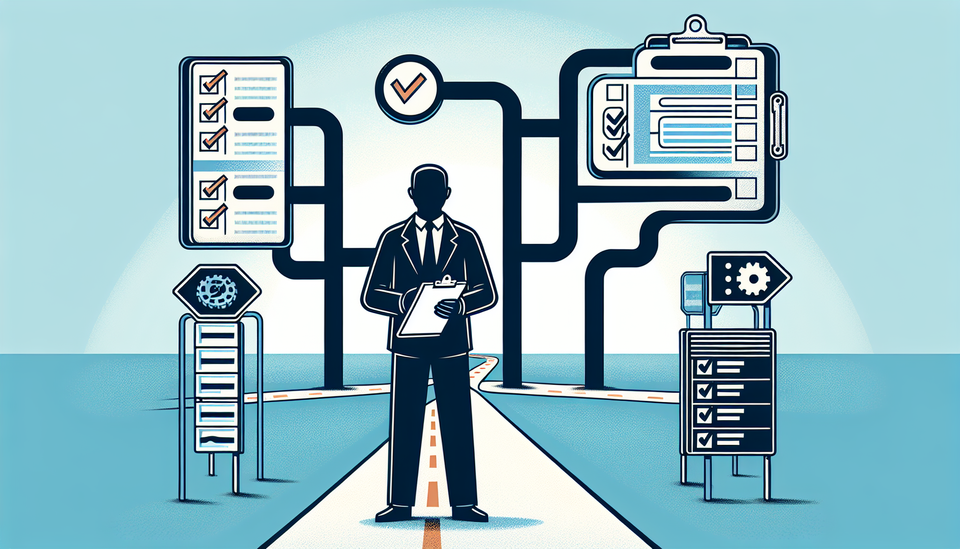
Document these three questions in a simple checklist template and add it to your approval workflow for any AI-generated deliverable. You are not blocking AI. You are creating a twenty-second gate that keeps you in control of what leaves your team as official project status.
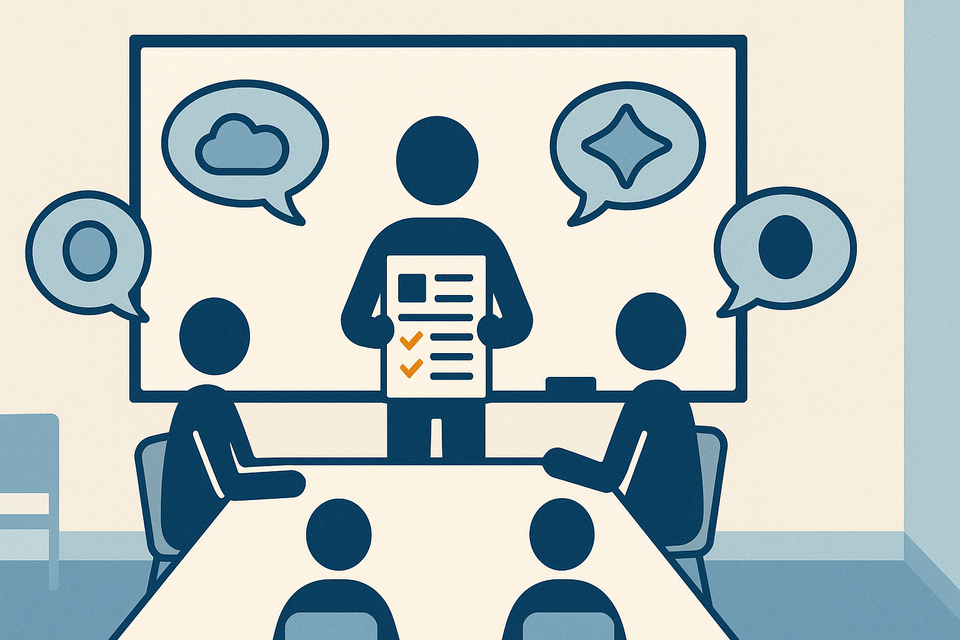
At a team level, ask your PMO or IT to map out explicit authorization policies for any AI tool that touches project data. This does not require engineering depth. It requires clarity: which systems can the AI agent access? At what data classification level? Who reviews what it outputs before it goes external? Write these rules down. Share them with the team. Make them visible.
The harder move is cultural. Push back on the assumption that "the AI can see all our tools so it must know what it is doing." It does not. It is a tool running within the permissions you give it. You own the boundary. You own the verification.
Run this for one month: every AI-generated status report that leaves your team goes through those three questions. Count how many times the answer to "did the agent have explicit permission" is "I am not actually sure." That number is your real risk surface. That is what you need to fix before the next steering committee cycle.
Practical AI intelligence for project managers. Weekly, free. Get frameworks, tools, and decisions that help you stay ahead of AI adoption on your projects. No hype. No filler. Subscribe free →
Not sure which AI tools to trust on your projects? Download the free AI Tool Evaluation Checklist: 12 questions PMs ask before approving any AI tool for their team. Download free →