How Intuit Compressed Months of Compliance Work Into Hours
Intuit took a process that ate months and compressed it into hours. Not through some miracle algorithm.

Intuit took a process that ate months and compressed it into hours. Not through some miracle algorithm. Through a discipline of where to put AI into a workflow, and more importantly, where not to.
Here is what actually happened. Tax code changes arrive every year. Someone has to translate those changes into software. Traditionally, this meant armies of developers and compliance analysts doing careful, repetitive, high-stakes work. The bottleneck was not laziness. It was the nature of regulated work: every step needs a human checkpoint. Speed and safety felt mutually exclusive. So delivery managers accepted months-long cycles and planned around them.
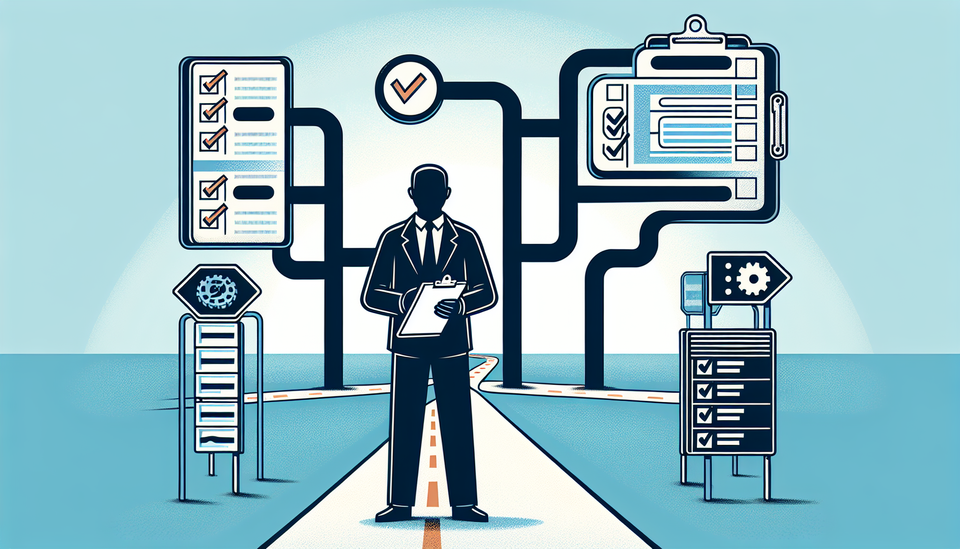
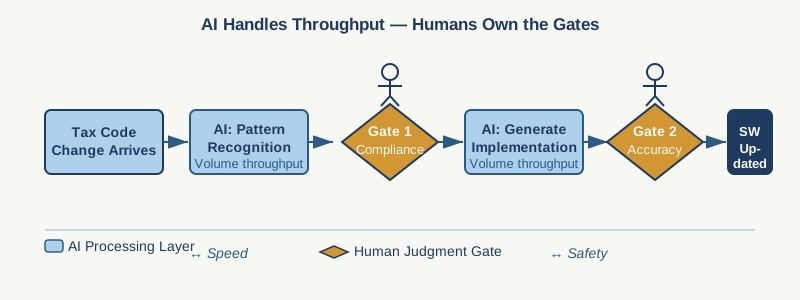
Intuit automated the repetitive parts—pattern matching, code generation, boilerplate implementation—while keeping humans inside the decisions that mattered: validation, edge cases, audit-trail sign-off. The result compressed timeline, but more importantly, it revealed something project managers in regulated industries need to understand: AI does not eliminate the need for control. It eliminates the need for busywork before the control gate.
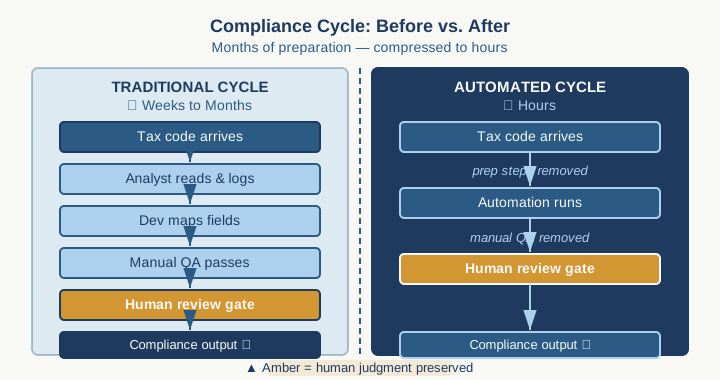
If you manage projects in banking, healthcare, insurance, or any compliance-heavy function, this distinction changes how you resource and schedule delivery. You have probably built timelines assuming that a process takes months because of the complexity. Sometimes the real reason is that the complex parts are buried under layers of manual prep work that humans have to finish before the actual decision-making can start.
The Intuit playbook has three moves.
First, map the work ruthlessly. Where are the actual decision points? Where is human expertise actually required? Intuit's tax team identified that developers could generate candidate implementations from the tax code specification, but only compliance analysts could validate whether the implementation matched intent. That validation was the real bottleneck, not the generation. So they asked: what if we remove everything before validation?
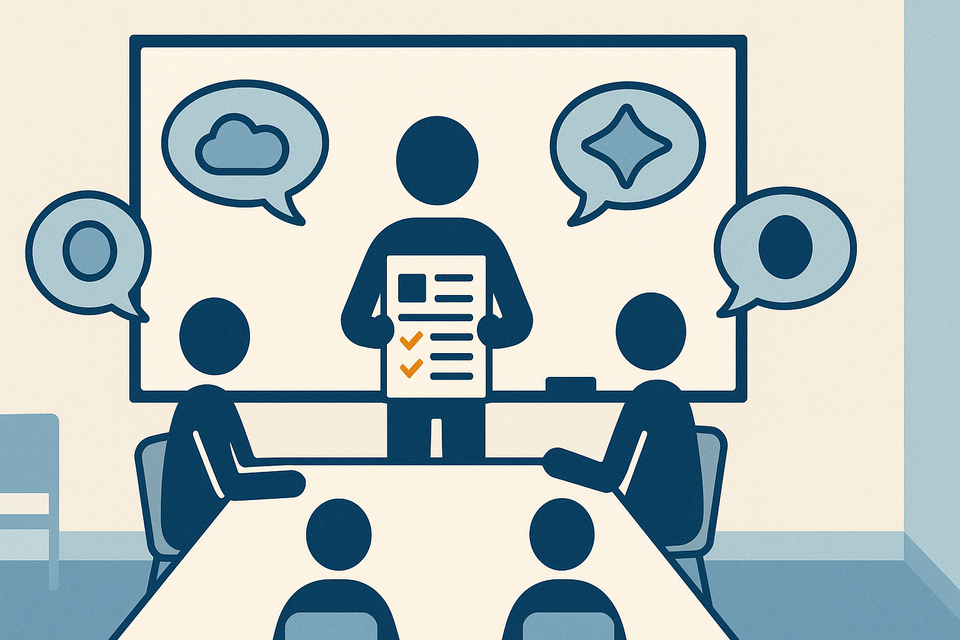
Second, insert AI at the busywork gates, not the judgment gates. Intuit used AI to turn tax regulations into structured code candidates that could be reviewed, not to decide whether those candidates were correct. The human still made the judgment. The human just did not have to spend three weeks building the candidate first. This distinction matters for your stakeholders. When you say "we are using AI to review compliance requirements," you will get pushback. When you say "we are using AI to generate review candidates so compliance can focus on judgment," you get alignment.
Third, build the audit trail into the workflow from the start. Regulated teams worry about AI hallucination, inconsistency, and defensibility. Intuit did not solve this by waiting for perfect AI. They solved it by making the human review nonnegotiable and building every step so that a regulator could trace the decision path. This means: every AI output gets logged. Every human review gets documented. Every override gets recorded. If you cannot explain why a decision was made this way, do not use AI in that step.
Here is the practical implication for your projects right now. Find one process that currently takes weeks and is mostly people doing repetitive work with a final review step. Budget and forecasting cycles often qualify. Compliance documentation. Requirements rollup. Status aggregation. Any place where you have junior staff preparing data for senior staff to judge.
Ask yourself: of that timeline, what percentage is busywork and what percentage is actual decision-making? If you answer honestly, you will find that a three-week process might be one week of decisions and two weeks of prep. That is where AI moves the needle. Not on the decisions. On the prep.
The workflow is straightforward. Define the decision gate clearly—what must a human review for the output to be valid? Generate AI candidates that feed into that gate. Lock the process so that nothing moves past the gate without human sign-off. Document both the AI output and the human judgment. Use that documentation to refine the AI prompts the next cycle.
Your first experiment should take four weeks and involve one small, bounded process. Pick something that is painful but not mission-critical. Something where you have a clear definition of "done." Something where you can run it both ways—the old way and the AI-assisted way—and compare.
Do not wait for AI to be perfect. Do not wait for your leadership to ask. Do not redesign your entire delivery process. Run the pilot. Count the hours saved. Count the errors caught. See what the validation step actually looks like when you remove the preparation friction. That evidence will be worth more to your skeptical stakeholders than any case study about someone else's company.
The question that matters is not whether AI can do your work. The question is: What is your team actually doing that looks like complexity but is actually just volume? Find that. Automate it. Keep your people at the judgment gate.
Practical AI intelligence for project managers. Weekly, free. Get frameworks, tools, and decisions that help you stay ahead of AI adoption on your projects. No hype. No filler. Subscribe free →
Not sure which AI tools to trust on your projects? Download the free AI Tool Evaluation Checklist: 12 questions PMs ask before approving any AI tool for their team. Download free →