Why Multi Agent AI Workflows Fail Without PM Governance
Most PMs encounter multi-agent AI workflows by accident. You ask ChatGPT to draft a status report.
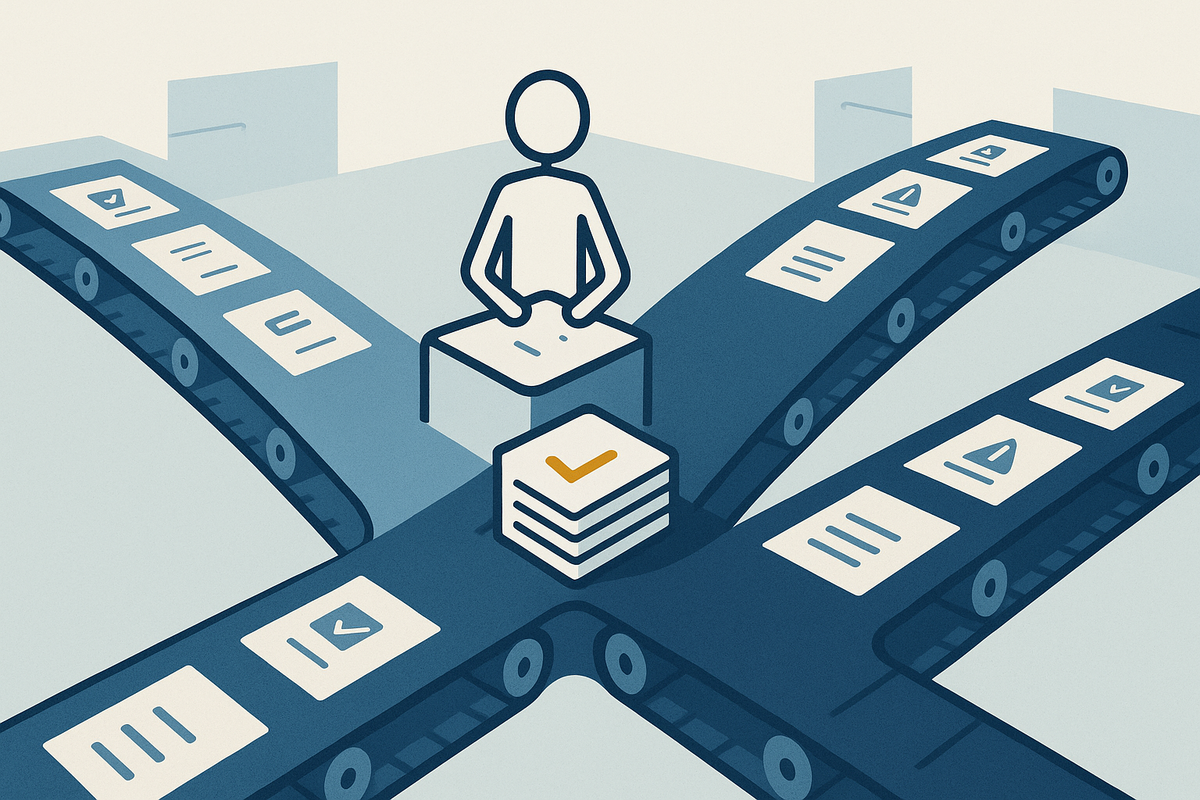
Most PMs encounter multi-agent AI workflows by accident. You ask ChatGPT to draft a status report. You ask Copilot to identify risks. You ask Claude to create a resource plan. Each tool works separately, and you're manually stitching the outputs together, copying and pasting, rewriting, wondering why automation still feels like manual work.
The promise of multi-agent systems is real: coordinate several AI tools to work in sequence, each one taking what the previous agent produced and moving the project forward one step further. The reality is messier. Most implementations fail not because the technology is immature, but because PMs design them the way they might design a single tool. They don't treat coordinated agents like a team with defined roles, handoff points, and accountability. They treat them like separate consultants working in the same room with no meeting structure.
This matters because the gap between casual AI use and systematic AI use is exactly here. Casual use is helpful but limited. Systematic multi-agent workflows, designed correctly, can compress weeks of status gathering, risk assessment, and planning into a process that runs in hours, with human judgment intact at every decision point. But the design work is not obvious, and most PMs skip it.
Here is what breaks first: task decomposition. You hand a complex project problem to multiple agents without clearly separating what each one owns. One agent drafts timeline assumptions. Another assesses resource constraints. A third identifies dependencies. But nobody told them that the second agent should validate the timeline before proceeding. Nobody told them that resource constraints might force a timeline replan. So you get three independent pieces of work that don't align, and you're back at square one, now confused about what the agents even produced. The workflow looks coordinated on the surface. It isn't.
The second failure point is validation and escalation. Agents don't know what they don't know. A planning agent might flag a two-week delay as low risk because it doesn't understand budget implications. A risk agent might miss a critical dependency because it was never told about a related project. Without explicit review gates and escalation rules, bad assumptions propagate through the workflow and land on your stakeholder report as fact. You've gained speed at the cost of control.
The third failure is goal misalignment. Each agent is technically doing its job. Each output looks reasonable in isolation. But they're optimizing for different outcomes. A timeline agent wants to compress schedule. A resource agent wants to balance load. A budget agent wants to preserve contingency. They're not wrong. They're just not coordinated. You end up with recommendations that conflict, and you're the one resolving the conflict manually, which defeats the purpose of automation.
Here is how to design around this: start by defining roles as explicitly as you would for a human team. The timeline agent owns validating deliverable dependencies and phasing. The resource agent owns capacity mapping and allocation conflicts. The risk agent owns scenario planning and escalation triggers. Each one has a specific input, a specific output format, and specific decision authority. The timeline agent does not overrule resource constraints. The risk agent does not replan without checking with the timeline agent first.
Next, design handoff protocols. What does the first agent pass to the second? What format? What assumptions should the second agent validate before proceeding? Here is a concrete example: the timeline agent produces a draft schedule with assumptions documented. The resource agent receives that schedule, maps resource availability against each phase, and flags conflicts. If a conflict exists, the resource agent does not modify the timeline. It escalates back to the timeline agent with the constraint: "Phase two requires four engineers. You have two available unless phase one completes two weeks early." Now the timeline agent can see the consequence of its original schedule and adjust. This is structured coordination.
Insert human checkpoints at the decision gates. After the planning agents finalize their outputs, a human (you) reviews the integrated picture before it goes to stakeholders. You're not validating every cell or redoing their work. You're asking: Does this make sense together? Are there conflicts or assumptions I know are wrong? This keeps you in control without killing the efficiency gain. Most PMs think automation means removing themselves from the process. Actually, it means moving yourself from doing the work to validating the work.
Configure success criteria and limits for each agent. Tell the timeline agent its outputs should not exceed the known hard deadline. Tell the resource agent that unplanned escalations cost this much and should be flagged above this threshold. Tell the risk agent to surface scenarios below 20 percent probability only if they have budget impact. These constraints prevent agents from producing technically correct but operationally irrelevant outputs.
Start with a single, bounded workflow. Don't try to orchestrate twenty agents across your whole portfolio. Pick one problem: a high-stakes timeline, a resource-constrained delivery, a multi-project risk assessment. Define three to five agent roles. Map their handoff points. Test it with a real project. Measure whether the agents' outputs actually saved you time and improved the quality of your decisions. If they did, document the workflow and add complexity. If they didn't, figure out why the coordination broke and adjust before scaling.
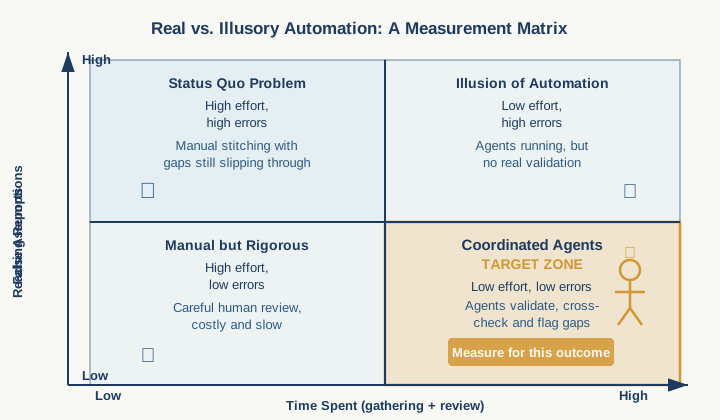
Run this on your next project with a hard deadline. Measure the hours you spent gathering and synthesizing information the old way versus the time the multi-agent workflow consumed, including your review time. Then measure this: how many false assumptions made it into your reporting? Count them both ways. That comparison will show you whether coordinated agents are actually working for you or just creating the illusion of automation while you carry the same mental load.
Practical AI intelligence for project managers. Weekly, free. Get frameworks, tools, and decisions that help you stay ahead of AI adoption on your projects. No hype. No filler. Subscribe free →
Stop writing from scratch. Get the 20 prompts PMs actually use for status reports, stakeholder updates, and retro summaries. Download free →