AI Enterprise Reality
Every enterprise PM I talk to has the same story now: they are running six AI tools in…

Every enterprise PM I talk to has the same story now: they are running six AI tools in their stack when they originally planned to run two. The licensing costs are creeping up. The teams are confused about which tool to use for what. And nobody can point to the actual productivity gain that justified the expansion in the first place.
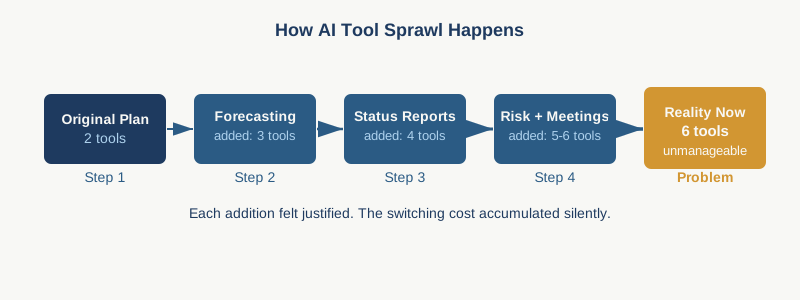
Here is what is really happening. When a tool works well for one function, the assumption inside most organizations is that adding more AI tools will create proportional gains. Forecast updates go into Claude. Status reports get drafted in Copilot. Risk identification runs through Perplexity. Meeting summaries use Otter. And suddenly your PM team is switching between four different interfaces, four different prompt workflows, four different ways the tools handle your project data. The marginal value of tool number four is not 75 percent of tool number one. It is closer to 20 percent. And the cost of context switching, training overhead, and data fragmentation might actually be negative.
The false efficiency trap is the real culprit here. AI creates the very convincing illusion that work is happening faster because a first draft appears instantly or a summary is generated with one click. What you are not measuring is whether those drafts actually reduce downstream work. A generated status report that still needs 40 minutes of editing because it missed the real risks or buried the critical dependency is not efficiency. It is busy work that looks like automation. The speed of the input does not equal speed of delivery.
Most enterprise PMs also underestimate the hidden costs that sit outside the monthly subscription fee. If you want those AI tools to actually work with your real project data, someone needs to integrate them with your systems. That integration takes time and often requires vendor support. Your team needs training on how to prompt effectively, what guardrails exist around data sharing, and when to use tool A versus tool B. When your organization deploys a new AI capability, expect three to six months of active overhead before it settles into workflow. And if the tool does not play well with your existing Jira or Confluence setup, you are looking at manual handoffs that kill the whole value proposition. The real cost is not the license. It is the operational tax of keeping multiple tools in sync.
The diagnostic moment comes when you realize you cannot actually articulate which function each AI tool is solving for. If you have five tools in your stack and someone asks you to justify tool number three, can you name the specific delivery problem it solves that tools one and two do not handle? If you hesitate, that tool is costing you money and attention for unclear return.
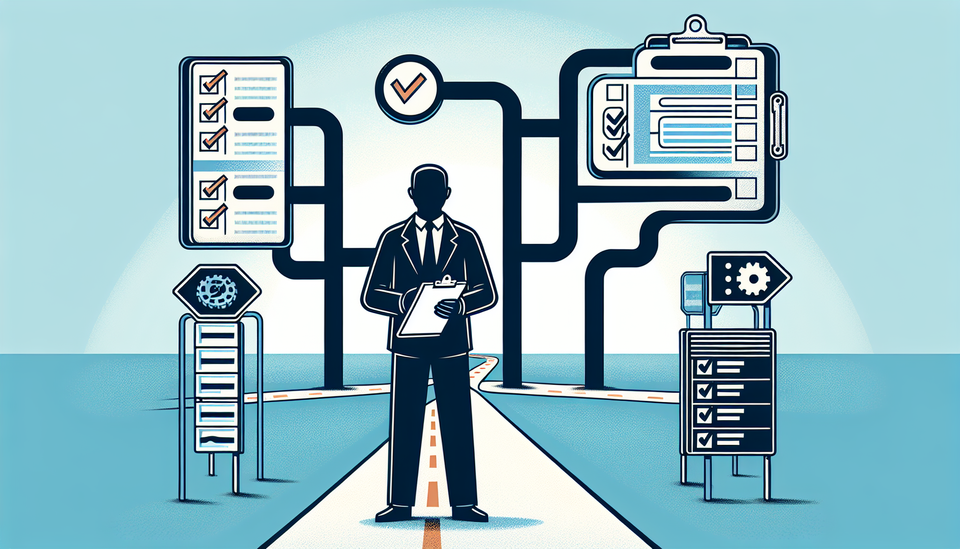
Here is the framework I would use to audit this. First, list every AI tool your team currently uses or has a license for. Next to each one, write down the specific project management function it handles. Status reporting. Risk identification. Resource forecasting. Schedule building. Stakeholder communication. That is it. One function per tool. If a tool is supposed to handle multiple functions, that is a red flag that it is not being used systematically.
Then run a 30-day tracking exercise. Have your team log, very casually, how much time they actually spend in each tool per week. Not the time the tool saves them. The time they are actually spending inside it. If you are paying for a tool that your team uses 90 minutes per month, that tool is overhead.
The third step is the hardest and most honest: ask your team which tools they would keep if the company shut down licensing tomorrow. The ones they name are the ones that are actually integrated into how work gets done. The ones they do not mention are the ones you should consider cutting.
Some AI capabilities do belong in your project management stack. The ones that stick are the ones that integrate tightly with systems you already use daily. If Copilot inside your Teams meetings actually captures action items and assigns owners automatically because it is wired to your Jira, that is worth the cost. If it generates a transcript you still have to manually parse into your RAID log, it is not. If your forecasting tool connects directly to your resource management system and updates capacity planning without manual data entry, keep it. If you are copying numbers from one interface into another, you are not getting AI. You are getting expensive copy-paste.
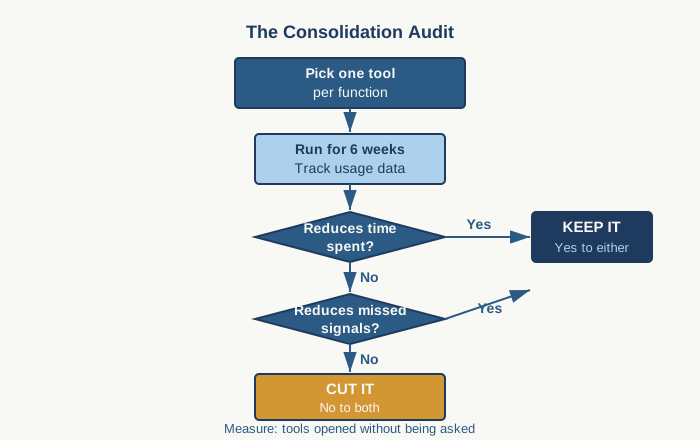
The real principle is selectivity. Pick the two or three functions that consume the most PM time and create the most risk if they break down. For most PMs, that is status consolidation, risk surfacing, and dependency tracking. Pick one AI tool per function. Give it six weeks. Measure whether it actually reduces either the time you spend or the likelihood of missed signals. If it does, the tool is worth the cost. If it does not, stop paying for it.
Stop measuring success by how many AI tools you have licensed. Start measuring it by how many AI tools your team actually opens in a typical week without being asked.
Practical AI intelligence for project managers. Weekly, free. Get frameworks, tools, and decisions that help you stay ahead of AI adoption on your projects. No hype. No filler. Subscribe free →
Stop writing from scratch. Get the 20 prompts PMs actually use for status reports, stakeholder updates, and retro summaries. Download free →